Now that your workspace is ready, it’s time to publish your first content.
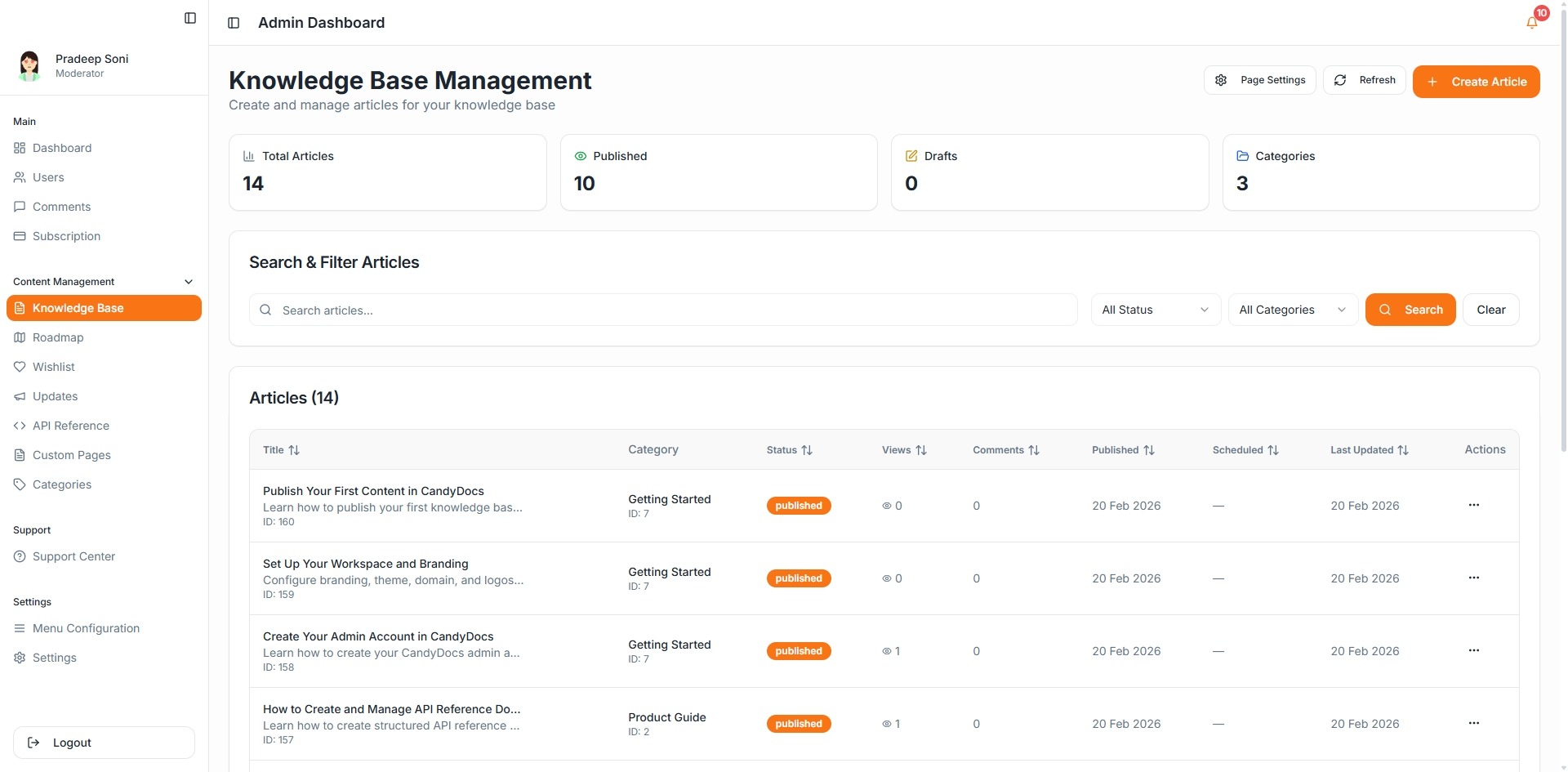
Step 1: Create a Knowledge Base Article
Go to Knowledge Base
Click Create Article
Add title, content, and SEO details
Publish
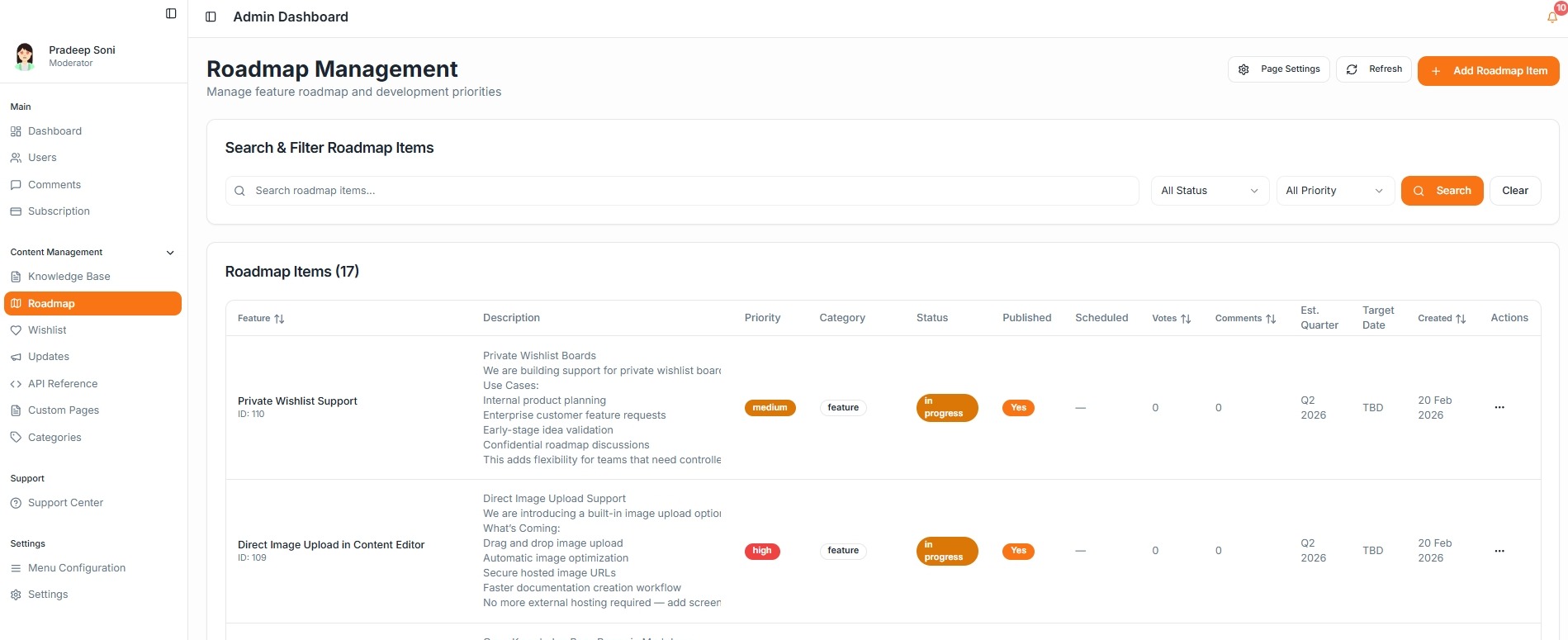
Step 2: Add Roadmap Items
Navigate to Roadmap
Click Add Roadmap Item
Set status (Planned, In Progress, Completed)
Publish
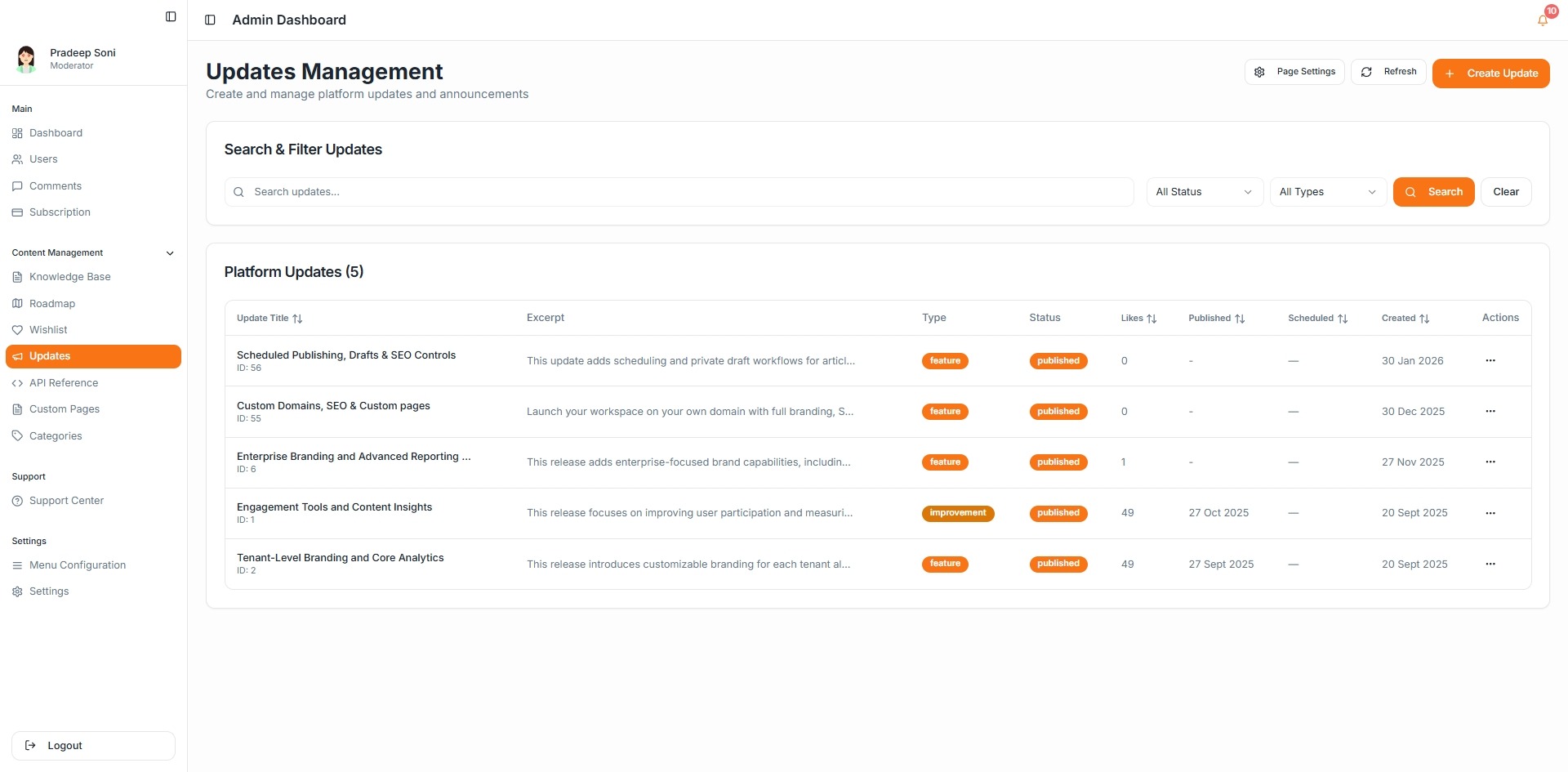
Step 3: Publish an Update
Go to Updates
Click Create Update
Add feature details
Publish or schedule
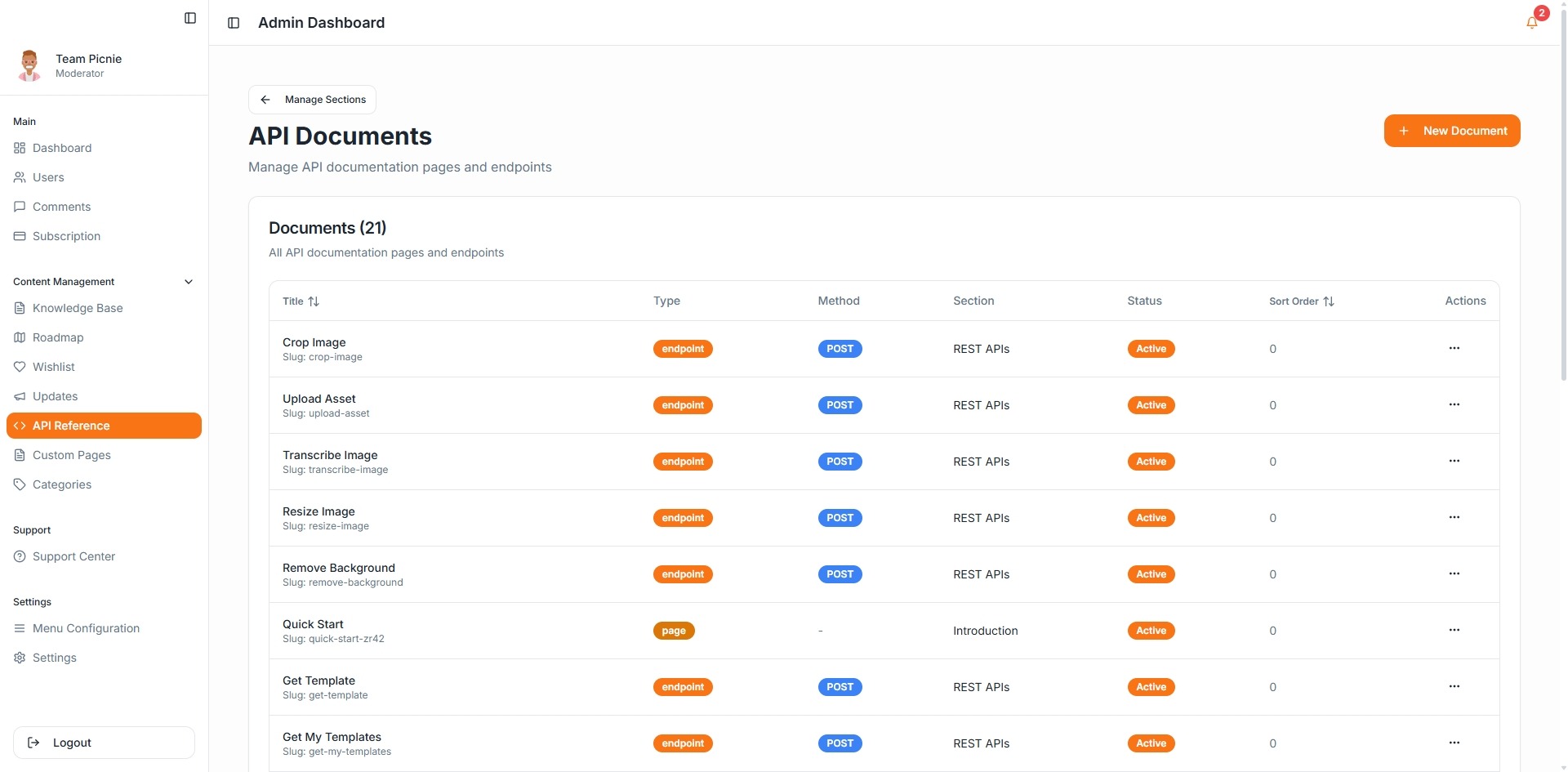
Optional: Add API Documentation
If your product has APIs, use the API Reference section to document endpoints.
You're Live 🚀
Your CandyDocs portal now includes documentation, roadmap transparency, and changelog updates.
Continue expanding your content to improve user onboarding and reduce support tickets.