The Roadmap feature in CandyDocs allows you to publicly share what you're building, track development progress, and keep your users aligned with your product direction.
This guide walks you through how to manage roadmap items, configure roadmap page settings, and create new features from the admin dashboard.
Accessing Roadmap Management
To manage your roadmap:
Log in to your Admin Dashboard.
From the left sidebar, click Roadmap under Content Management.
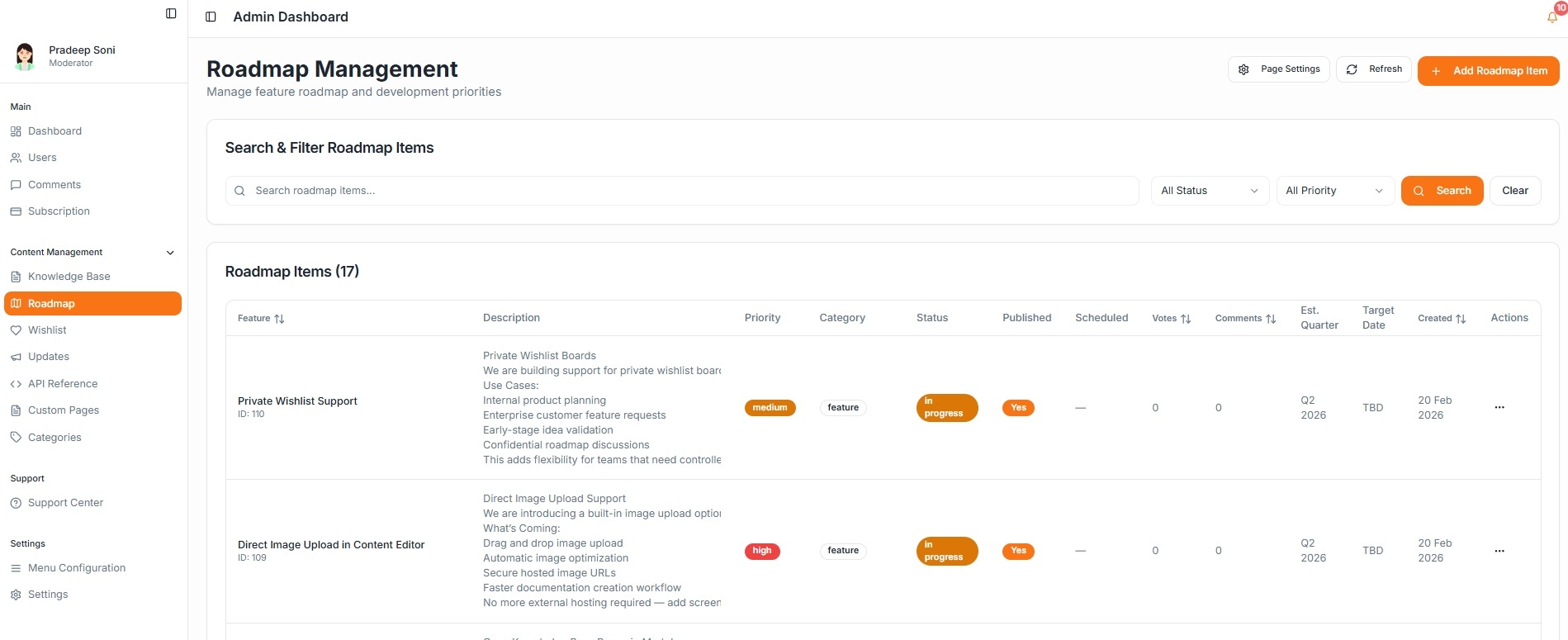
You will land on the Roadmap Management page where you can view, filter, and manage all roadmap items.
Understanding the Roadmap Dashboard
The Roadmap dashboard provides:
Search bar to find roadmap items quickly
Filters for Status and Priority
Overview of all roadmap items in a structured table
Voting and comment counts
Estimated quarter and target date tracking
This helps you track development progress at a glance.
How to Create a New Roadmap Item
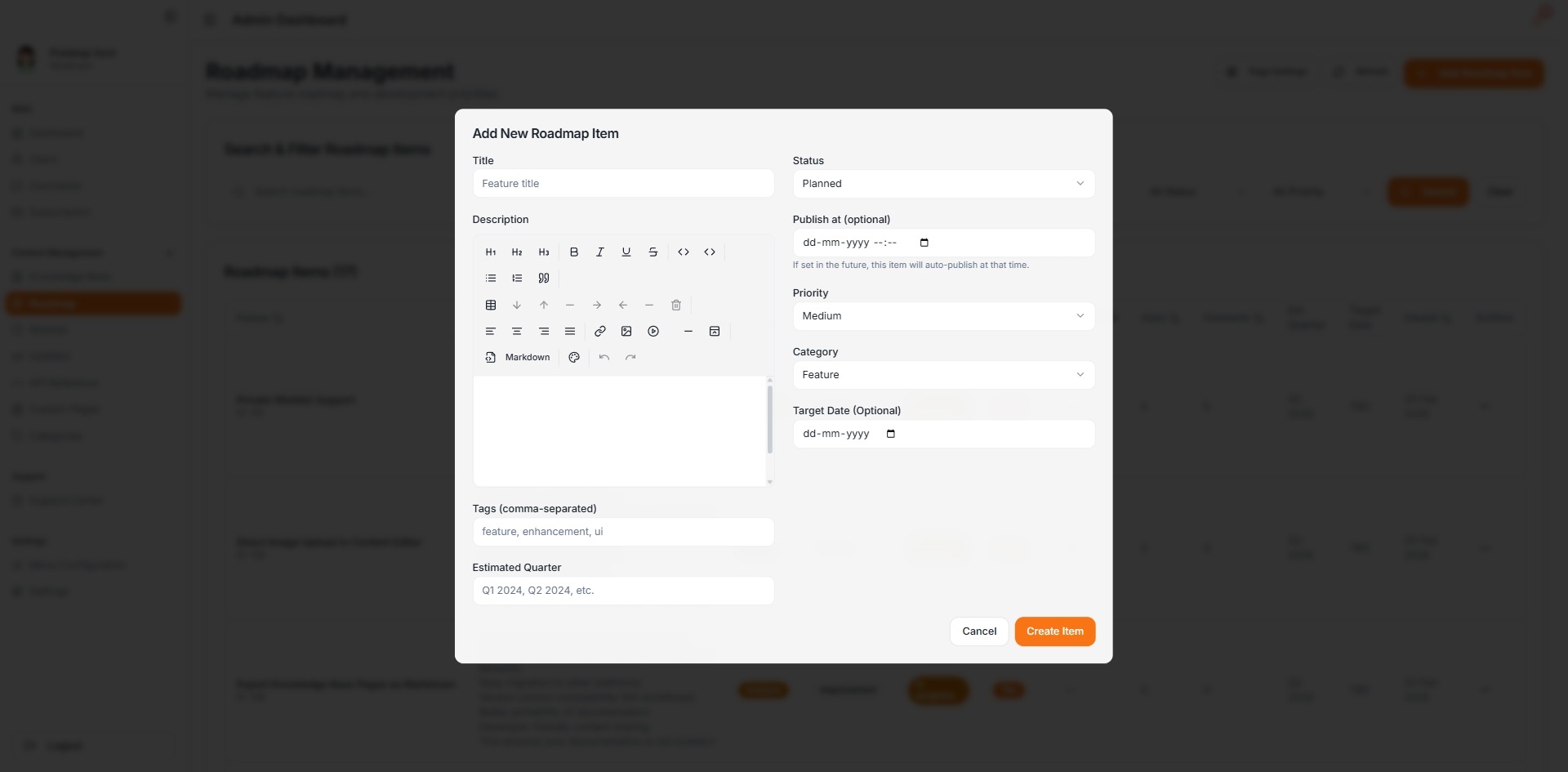
Click the Add Roadmap Item button.
Fill in the following fields:
Title – Name of the feature
Description – Details about what you are building
Status – Planned, In Progress, or Completed
Priority – Low, Medium, or High
Category – Feature or Improvement
Publish Date (Optional) – Schedule auto-publish
Target Date (Optional) – Expected completion date
Estimated Quarter – For example, Q2 2026
Tags – Add comma-separated tags
Click Create Item to publish the roadmap entry.
Managing Existing Roadmap Items
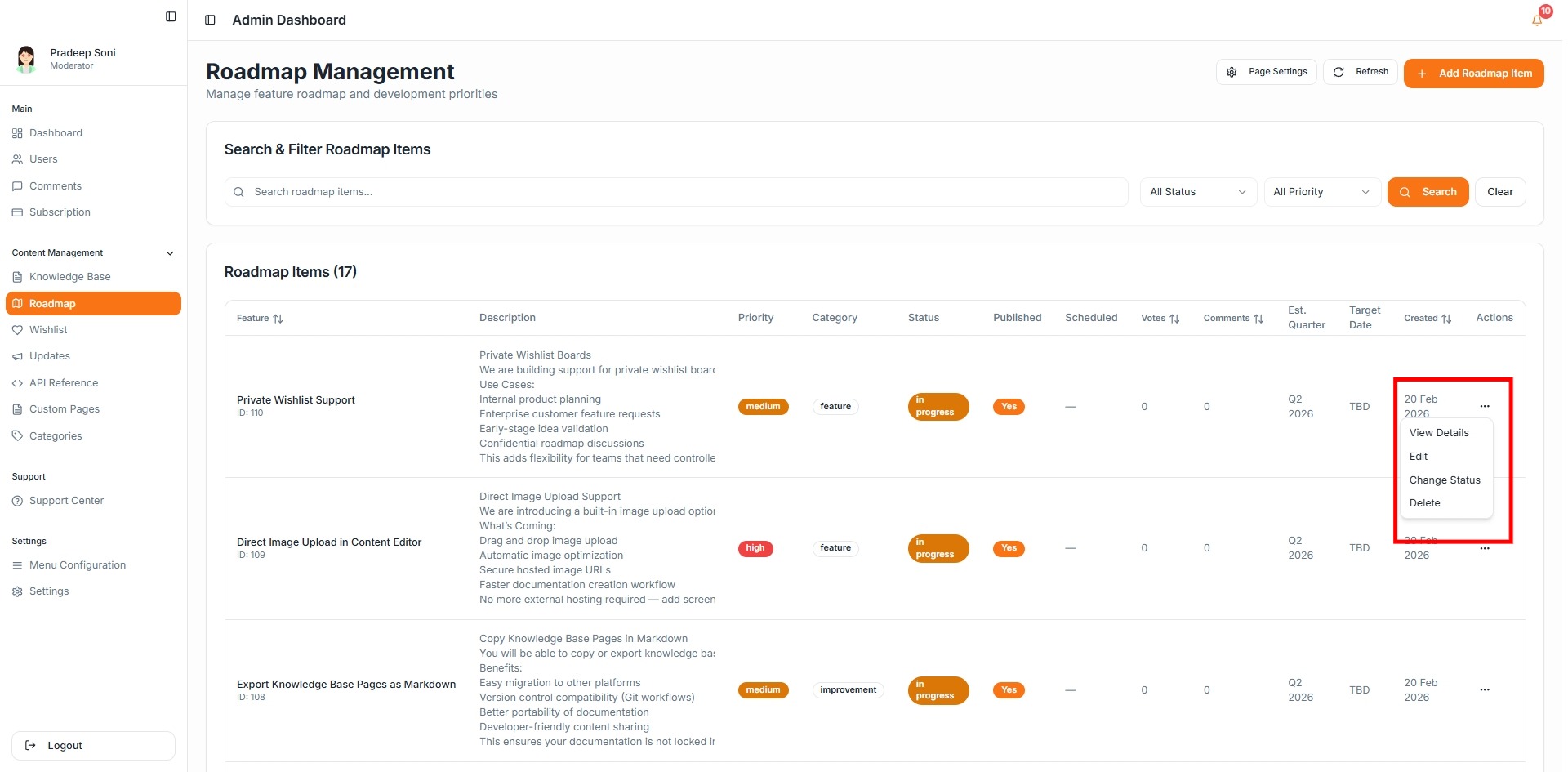
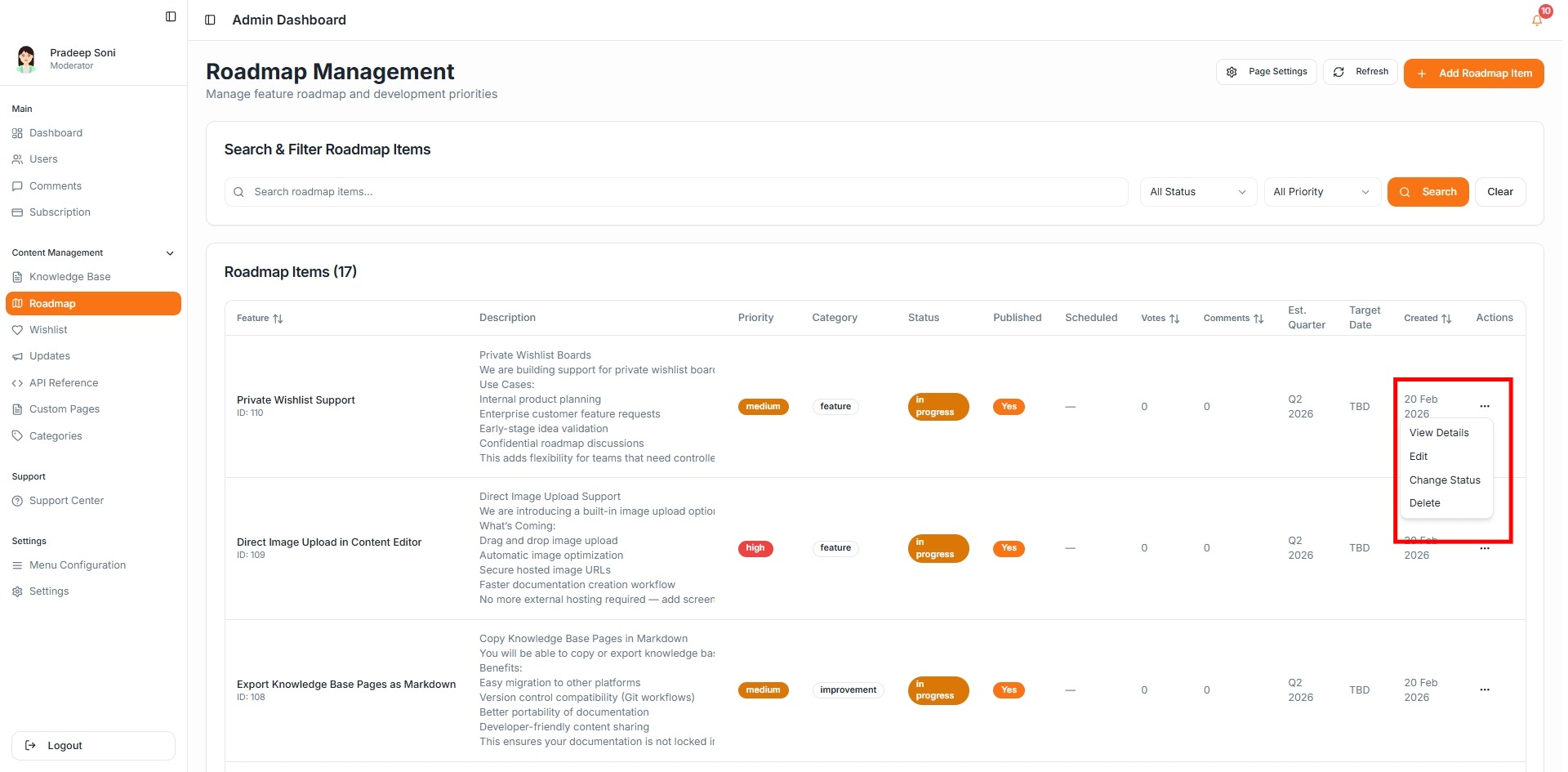
Each roadmap item includes an actions menu where you can:
View details
Edit the feature
Change status
Delete the item
This makes it easy to update progress as development moves forward.
Roadmap Page Settings
You can customize how your public roadmap appears.
Click Page Settings to configure:
Heading (e.g., Product Roadmap)
Description
SEO Title
SEO Description
SEO Keywords
Custom head snippets
Optimizing these settings improves discoverability and aligns the roadmap with your brand voice.
Using Roadmap Strategically
A public roadmap helps you:
Build transparency with customers
Validate features through votes
Show progress updates
Reduce repetitive feature request queries
Keep statuses updated regularly to maintain trust and engagement.
Best Practices
Use clear and benefit-driven titles
Keep descriptions concise but informative
Update status as soon as work begins or completes
Use Estimated Quarter instead of exact dates if timelines may change
The Roadmap in CandyDocs is designed to make product communication simple, transparent, and engaging for your users.