The Updates feature in CandyDocs allows you to publish product announcements, feature releases, improvements, and bug fixes in a structured changelog format.
This guide will walk you through how to create updates, manage their status, and configure your public Updates page settings.
Accessing Updates Management
Log in to your Admin Dashboard.
From the left sidebar, click Updates under Content Management.
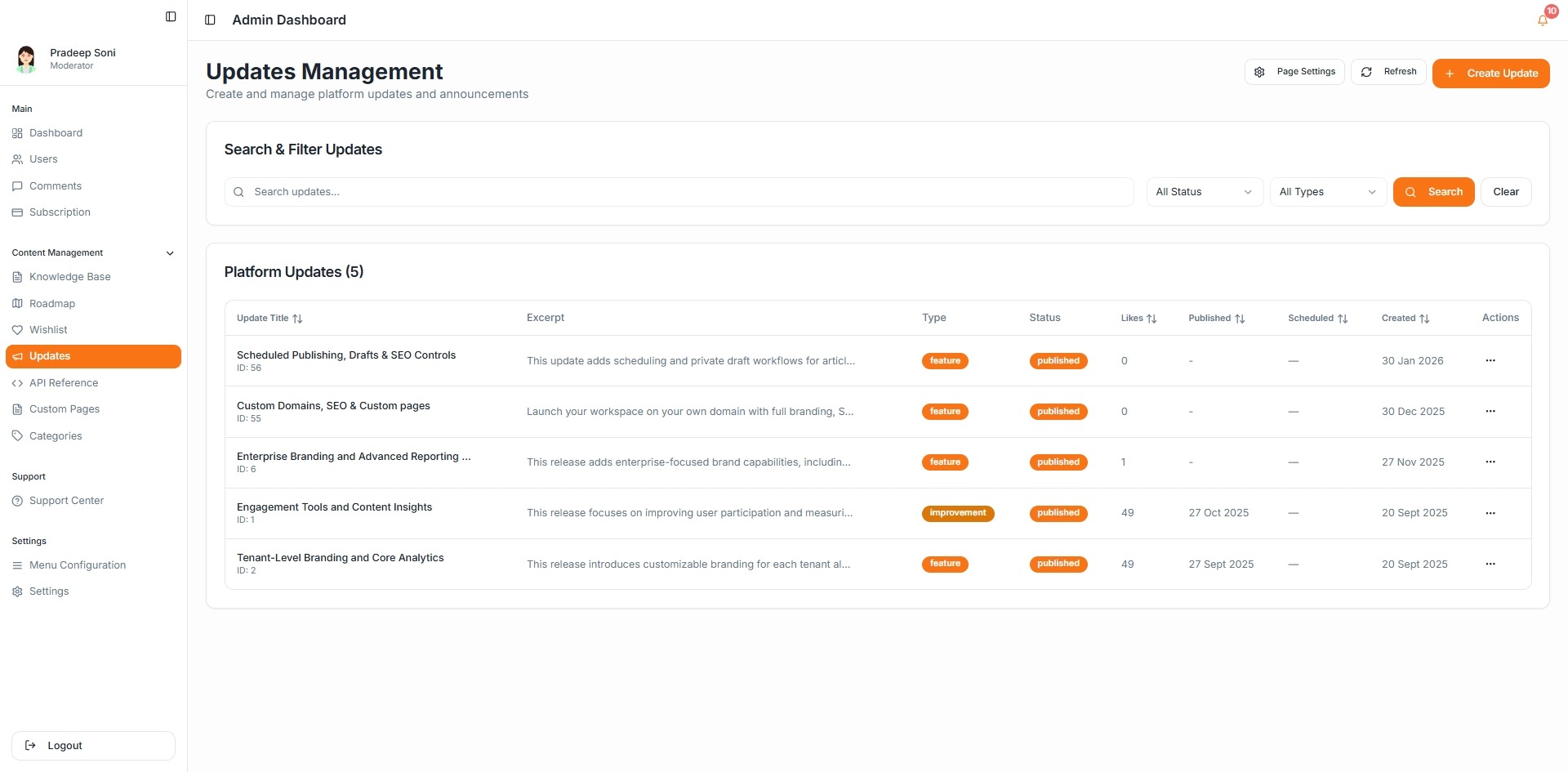
You will land on the Updates Management page where all your platform updates are listed.
Understanding the Updates Dashboard
The Updates dashboard allows you to:
Search updates using the search bar
Filter by Status and Type
View update title and excerpt
See update type (Feature or Improvement)
Track publish status
Monitor likes and engagement
This gives you a complete overview of all published and draft changelog entries.
How to Create a New Update
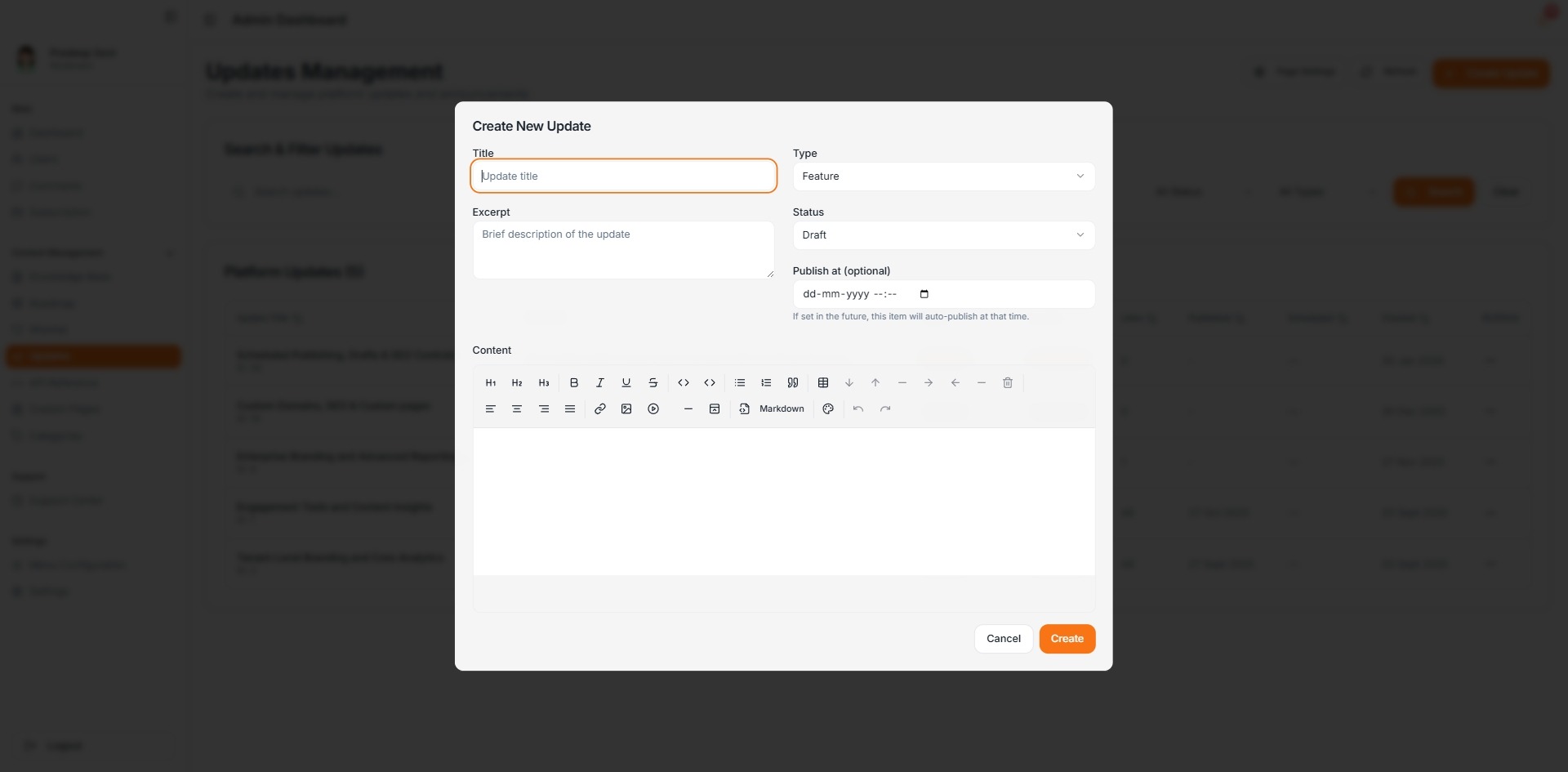
Click the Create Update button.
Fill in the required details:
Title – Name of the update
Type – Choose Feature or Improvement
Excerpt – Short summary of the update
Status – Draft or Published
Publish at (Optional) – Schedule auto-publishing
Content – Detailed description of the release
Once complete, click Create to save the update.
Draft vs Published
Draft: The update is saved but not visible publicly.
Published: The update is visible on your public Updates page immediately.
You can also schedule an update to auto-publish at a future date.
Managing Existing Updates
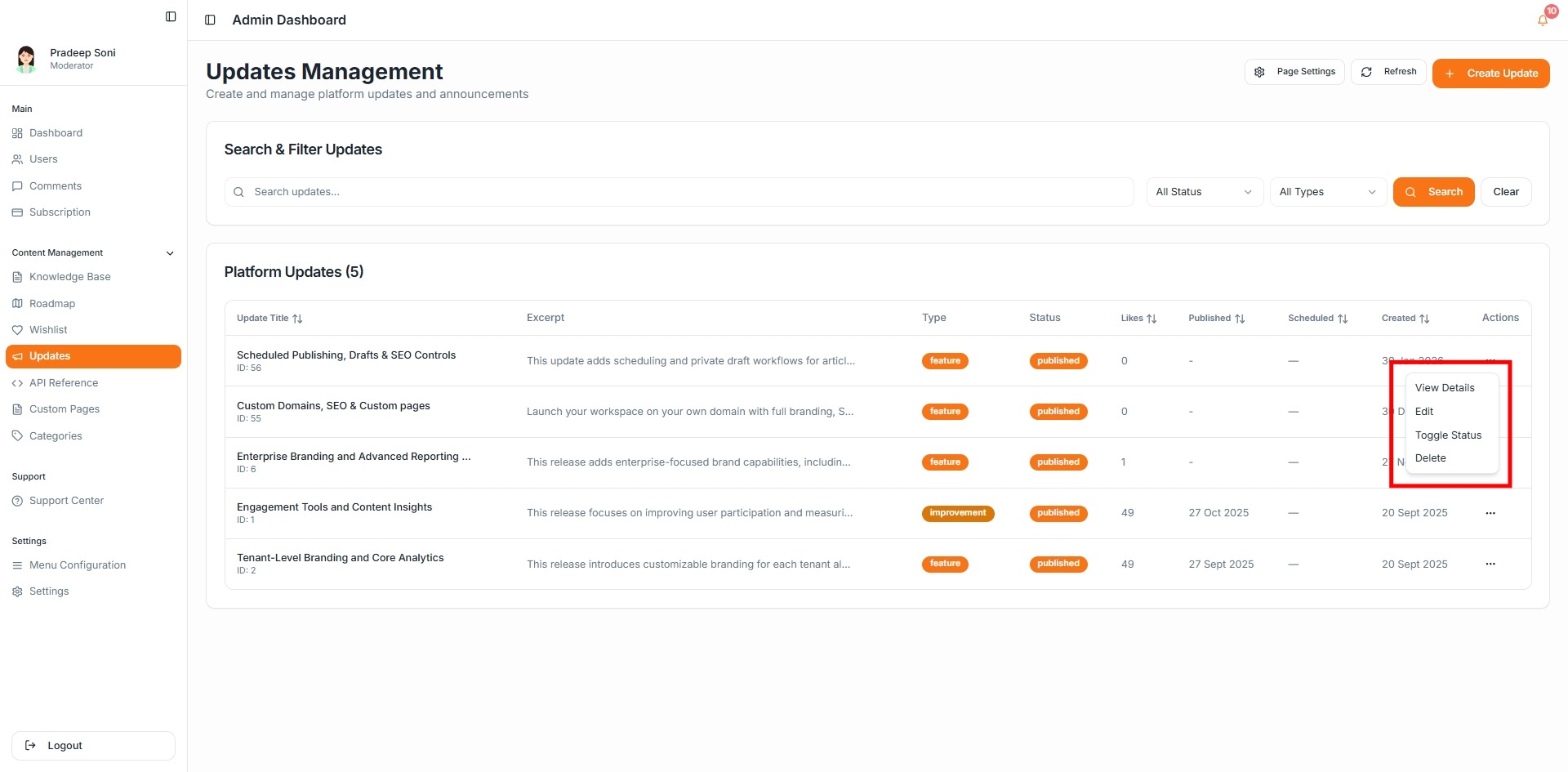
For each update, you can use the actions menu to:
View details
Edit content
Toggle status (Draft/Published)
Delete the update
This allows you to maintain and refine your changelog over time.
Updates Page Settings
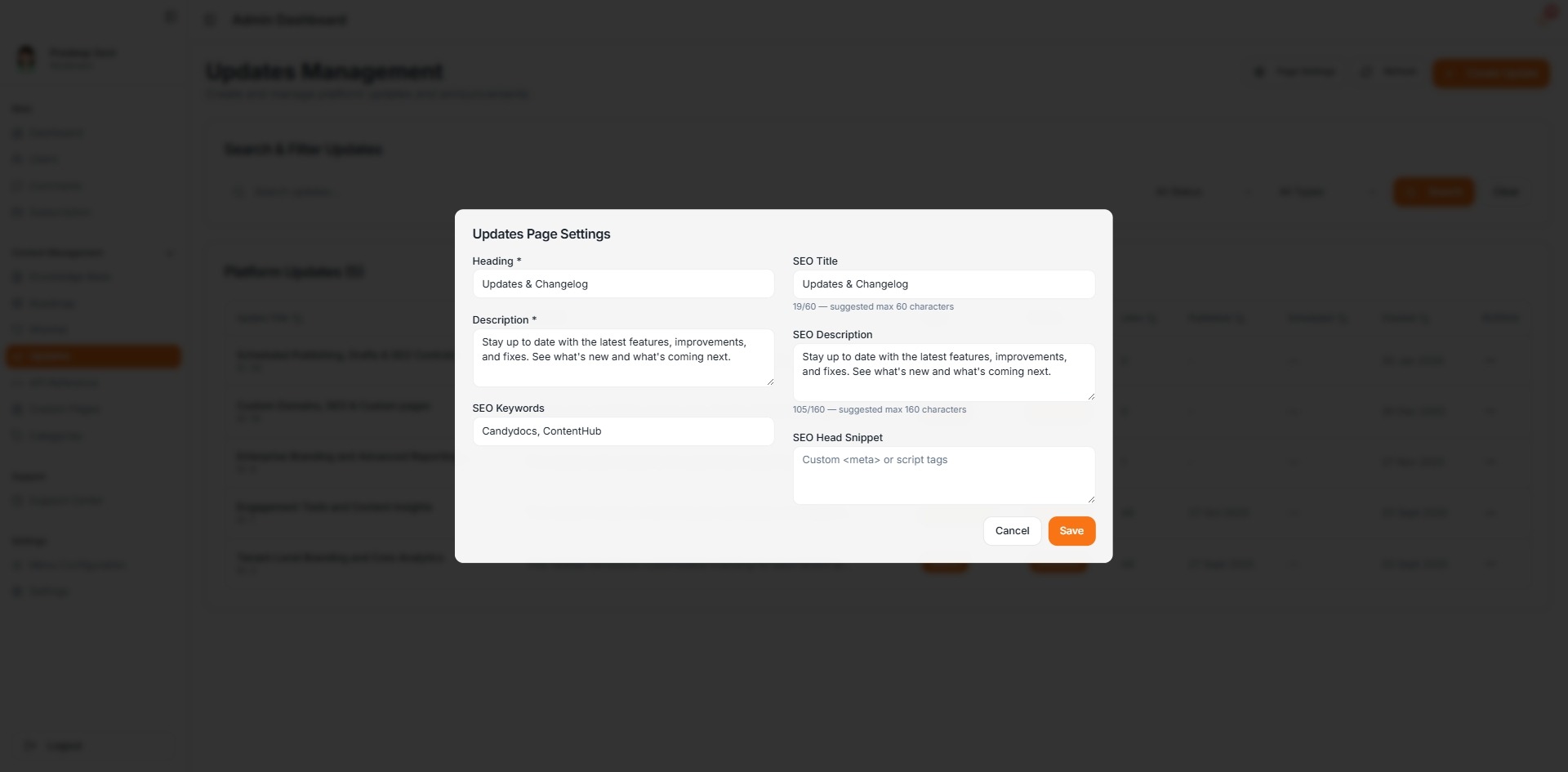
Click Page Settings to configure how your Updates page appears publicly.
You can customize:
Heading (e.g., Updates & Changelog)
Description
SEO Title
SEO Description
SEO Keywords
Custom SEO head snippets
Optimizing these settings improves search visibility and ensures consistent branding.
Best Practices for Writing Updates
Use clear, benefit-driven titles
Keep excerpts concise and informative
Highlight user impact in the content
Group related improvements in a single update when possible
Publish updates consistently to build trust
The Updates feature helps you communicate progress transparently and keeps your users informed about what’s new and what’s improved.